
Getting started
What you need
- Ghost 6.0 or later
- A Ghost(Pro) plan that allows custom themes (Starter doesn't), or self-hosted Ghost
- The
stretch-2.0.0.zipfile from your purchase email
What's in the zip
- The theme, ready to upload as it is
- Readable CSS and JavaScript source, plus build scripts, if you want to make changes
routes.yaml.examplefor the Authors and Topics pagesREADME.mdandLICENSE
Install
- In Ghost Admin, open Settings (the gear icon, bottom left).
- Go to Design & branding and click Customize.
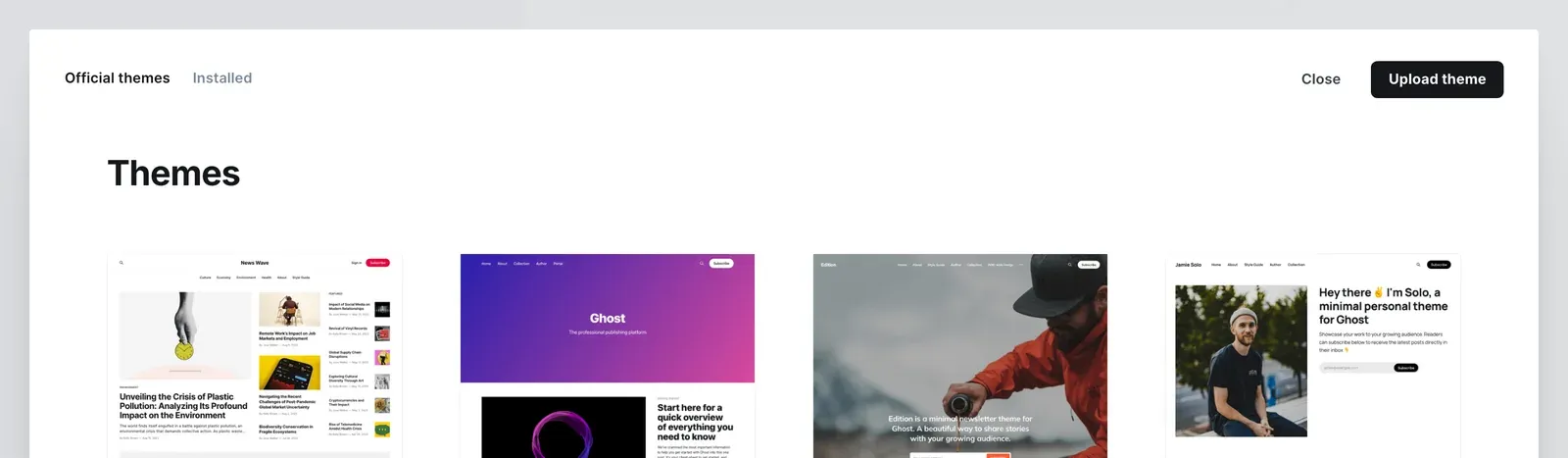
- Click Change theme (bottom left), then Upload theme.
- Choose
stretch-2.0.0.zip. Upload the zip as it is; don't unzip it. - Click Activate.
First setup
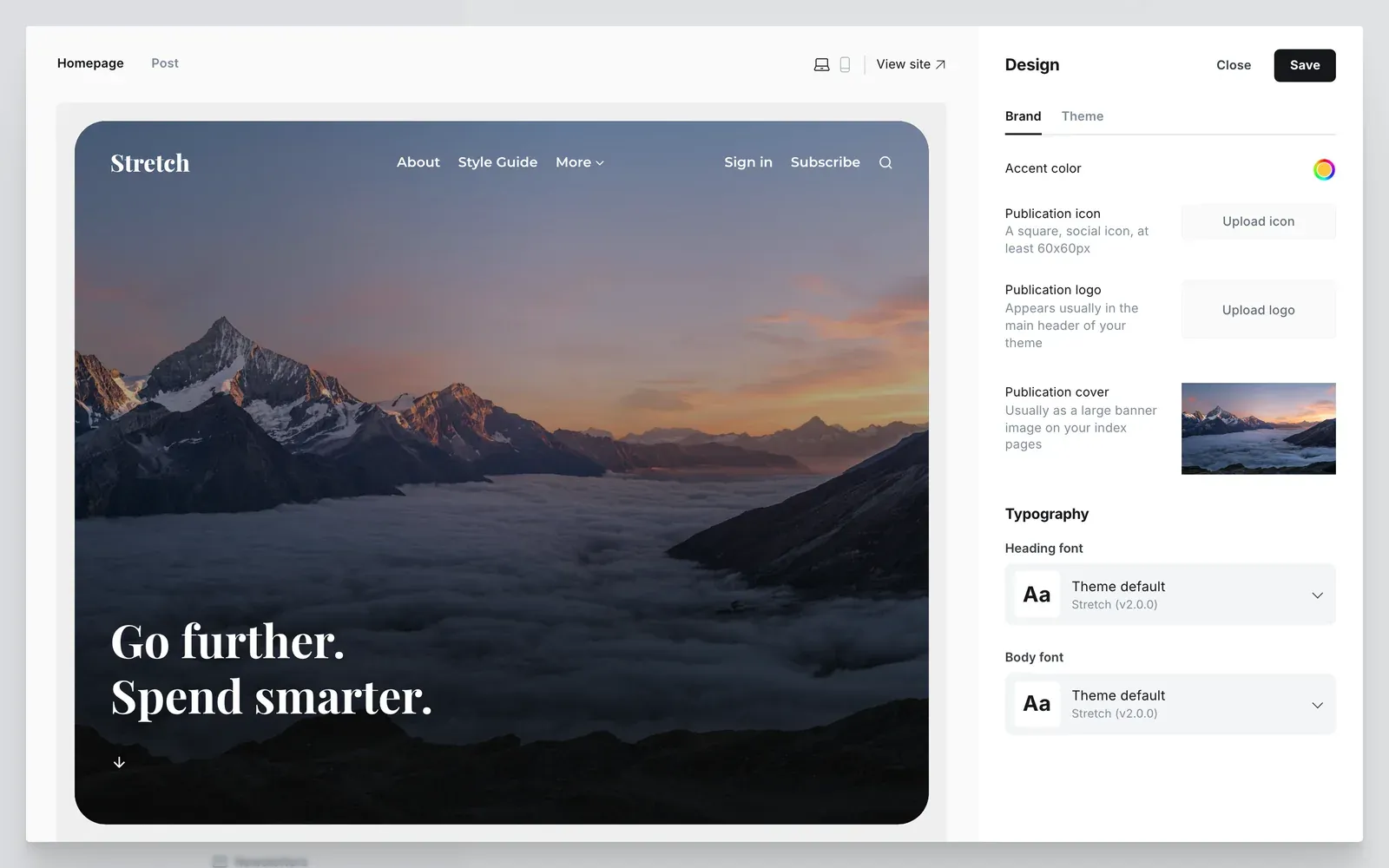
- Brand: in Settings → Design & branding → Customize, open the Brand tab. Set your accent color, publication logo, publication cover and fonts.
- Theme: in the same window, open the Theme tab. Pick a colour scheme and homepage style. See Theme settings.
- Menu: in Settings → Navigation, add your links. See Templates and menus for dropdowns.
- Optional: add the Authors and Topics pages. See the routes file.
Update to a new version
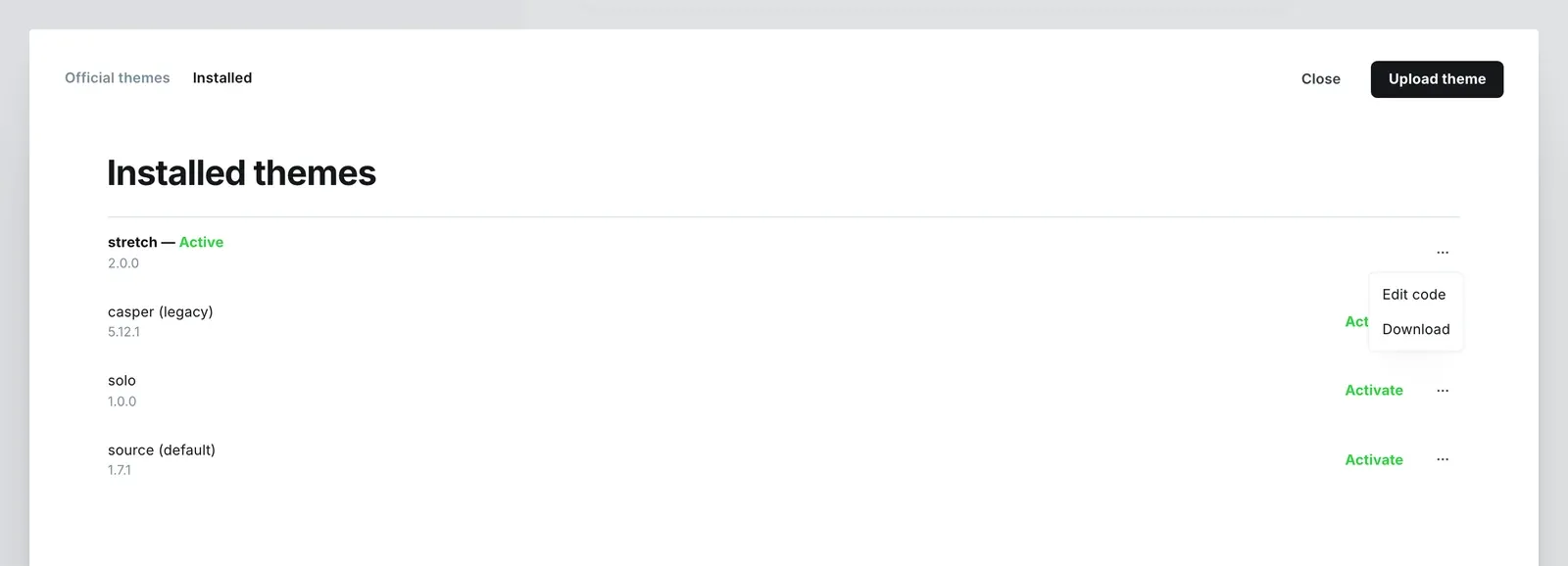
- Back up first: in Settings → Design & branding → Customize → Change theme, open the ⋯ menu next to Stretch and choose Download.
- Upload the new zip the same way you installed it. Ghost asks whether to overwrite Stretch: choose Overwrite.
- Done. Your theme settings are kept, because the theme name stays the same.
Edited the theme files? Check the changelog to see what changed, so you can copy your edits across.